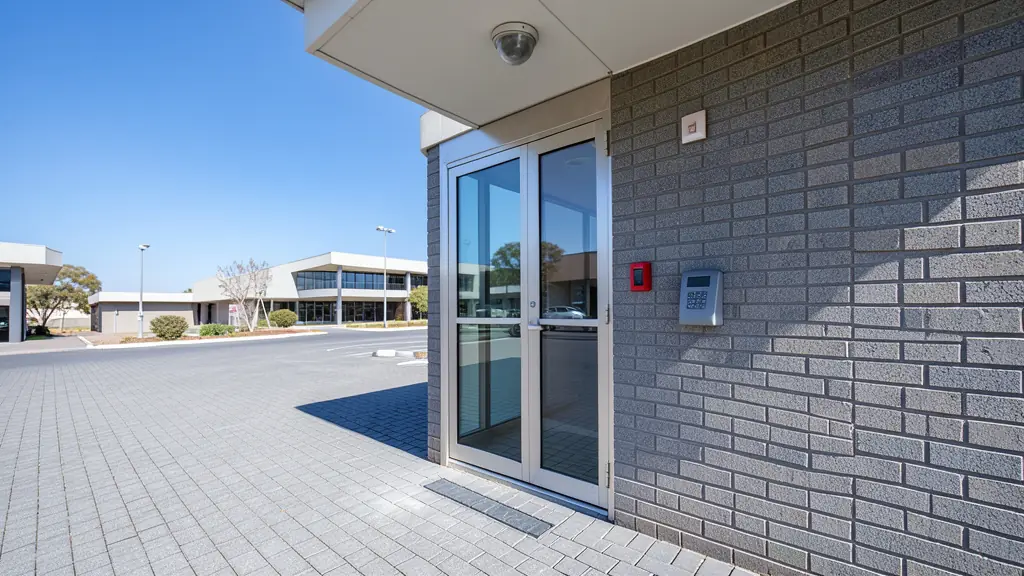
Access control decides who may open which door, and when. Instead of a key that can be copied and never returns, each person gets a card, tag, PIN, fingerprint or face, and the system records every entry. It suits offices, factories, schools, clinics, estates and any home or business that is tired of lost keys. Send one request with the number of doors and the people who use them, and installers in your area quote you directly. It is free and there is no obligation.
Readers, locks and controllers
A system has three working parts. The reader checks the credential: a proximity card or tag, a PIN, a fingerprint or a face. The lock holds the door: a magnetic lock (maglock) holds it shut with a magnet, while an electric strike releases the latch on an ordinary door. The controller is the small brain that decides yes or no, and the software on a computer or server sets who may go where and when.
Cards are cheapest and easy to cancel when lost. PINs are shared too easily for anything sensitive. Fingerprint and face readers cannot be lent to a colleague, which helps with time and attendance, but they suit clean, indoor doors better than dusty or wet ones.
Fire exits and load shedding
A locked door must never trap people in a fire. Ask your installer whether each door should be fail-safe (the lock opens when power fails) or fail-secure (it stays locked, with a mechanical key or push bar for exit). Escape routes normally need a green break-glass release on the inside, and local fire rules and the building's occupancy certificate decide what is acceptable.
Power is the other test. Every controller should have a battery backup sized to run through a few hours of load shedding, and a stated rule for what each door does when the battery is flat. A system that locks everyone out at stage 6 will not last a week.
Visitors, records and POPIA
Access records and biometric templates are personal information under the Protection of Personal Information Act (POPIA). Tell staff what you collect and why, limit who can view the logs, decide how long they are kept, and ask the installer how fingerprint data is stored. Many systems keep a mathematical template, not an image, which is safer.
Estates and offices often add visitor management: the resident approves a guest on an app, a QR code or PIN opens the boom gate, and the guardhouse sees who is inside. Turnstiles and boom gates link to the same controller, so one card can open the front door and the parking. You can also pair it with CCTV to see who was behind a door event.
Pricing a system
Price per controlled door, not per reader. A door needs a reader, lock, exit button, power supply, cabling and installation, and the price depends on the lock, the reader type and the cable run, so compare quotes per door. Software, a server or cloud subscription, enrolment of staff, and training are separate lines. Ask whether you own the system, whether another installer may service it later, and which spares are kept in stock. For estate entrances see estate security.
What to include in your request
- The number of doors, gates or turnstiles
- Who uses them and how many people
- Card, PIN, fingerprint or face preferred
- Any fire exits or escape routes
- Whether you need visitor or time records
Access Control for different sites
- Homeowners and families: a keypad or fingerprint lock on the front door and a card reader at the garage
- Estates, complexes and body corporates: resident tags at the boom gate, visitor codes by app and pedestrian turnstiles
- Offices, shops and retail centres: card readers on staff doors, server rooms and stock rooms with entry records
- Factories, warehouses and yards: tag readers at the gate and plant doors, with muster lists for emergencies
- Building sites and contractors: tag or face readers at a site gate to record who is on site each day
- Farms and smallholdings: a keypad on the packhouse, chemical store and workshop doors
- Events, venues, hotels and lodges: room card locks, staff-only back doors and a code on the parking gate
- Schools, clinics and churches: readers on school classroom blocks, clinic pharmacies and office doors
Frequently asked questions
Is fingerprint or card access better?
Can access control work without Wi-Fi or internet?
What happens to a door when the power fails?
Do I need permission to record staff entry?
Access Control by province and city
- Johannesburg
- Pretoria
- Centurion
- Midrand
- Sandton
- Randburg
- Roodepoort
- Krugersdorp
- Randfontein
- Germiston
- Boksburg
- Benoni
- Kempton Park
- Alberton
- Vanderbijlpark
- Vereeniging
- Durban
- Pinetown
- Pietermaritzburg
- Richards Bay
- Newcastle
- Ladysmith
- Gqeberha (Port Elizabeth)
- East London
- Kariega (Uitenhage)
- Mthatha
- Cape Town
- Bellville
- Paarl
- Stellenbosch
- George
- Worcester
- eMalahleni (Witbank)
- Middelburg
- Secunda
- Mbombela (Nelspruit)
- Rustenburg
- Brits
- Klerksdorp
- Potchefstroom
- Mahikeng
- Polokwane
- Tzaneen
- Kimberley
- Upington
- Bloemfontein
- Welkom
- Sasolburg